At a Glance: |
|---|
A food kiosk POS in the Philippines has three jobs on a one-meter counter: ring up orders in seconds, take GCash and QR Ph alongside cash, and keep BIR-compliant records from the first Official Receipt. It also has to survive the jump from one cart to a mall food court stall, then to a second location. StoreHub is BIR-accredited, runs on compact hardware, and powers Candid Coffee, which started as a single coffee cart and now runs six branches. |
For food kiosk and food stall operators in the Philippines, the POS choice comes down to two things: how fast the line moves at a small counter, and whether the system can grow from one cart to a second location without starting over. StoreHub is built for both, with orders processed in under 30 seconds and multi-location management when you scale. More than 20,000 businesses across Southeast Asia run on it, including Candid Coffee, which began as a coffee cart and now operates six branches.
A kiosk is not a small restaurant. There are no tables to turn and no floor staff to manage; the counter is the whole business. Whether you sell siomai outside a school gate in Quezon City, takoyaki at an SM food court, or coffee from a cart in Makati, the economics are the same: small tickets, high volume, and a footprint measured in centimeters.
This guide covers what a food kiosk POS needs on day one, and what changes by stall number three.
Are these problems familiar at your food kiosk?
The merienda rush outruns a one-person counter
When the merienda rush hits mid-afternoon, the line forms fast, and one person is taking orders, assembling food, collecting cash, and counting change. Every fumbled transaction adds seconds, and in a food court a slow line does not wait; customers walk to the next stall. For a kiosk, speed at the counter is the revenue model.
Cash-only turns away the GCash crowd
Office workers and students increasingly pay by phone. When a kiosk is cash-only, the choice is to lose the sale or accept a transfer to a personal number that never reconciles with the day's sales.
The mall will not let you open without an accredited setup
A food court slot at SM, Ayala, or Robinsons comes with requirements: BIR-registered receipts and the mall's own POS accreditation process. Handling it yourself can add 30 to 60 days, while the rent clock runs from day one of the contract.
The notebook system dies the day cart number two opens
Plenty of kiosks run on a notebook and an end-of-day cash count, and it works while you can see the whole operation from behind the counter. The day a second cart opens across town, you are blind: its sales are invisible until closing, and you learn it ran out of wrappers only when someone calls.
What to look for in a food kiosk POS in the Philippines
Before picking a system, check that it covers all of these:
Order speed built for lines. The system should process an order in under 30 seconds and train a new hire in 15 minutes, because kiosk staffing changes often.
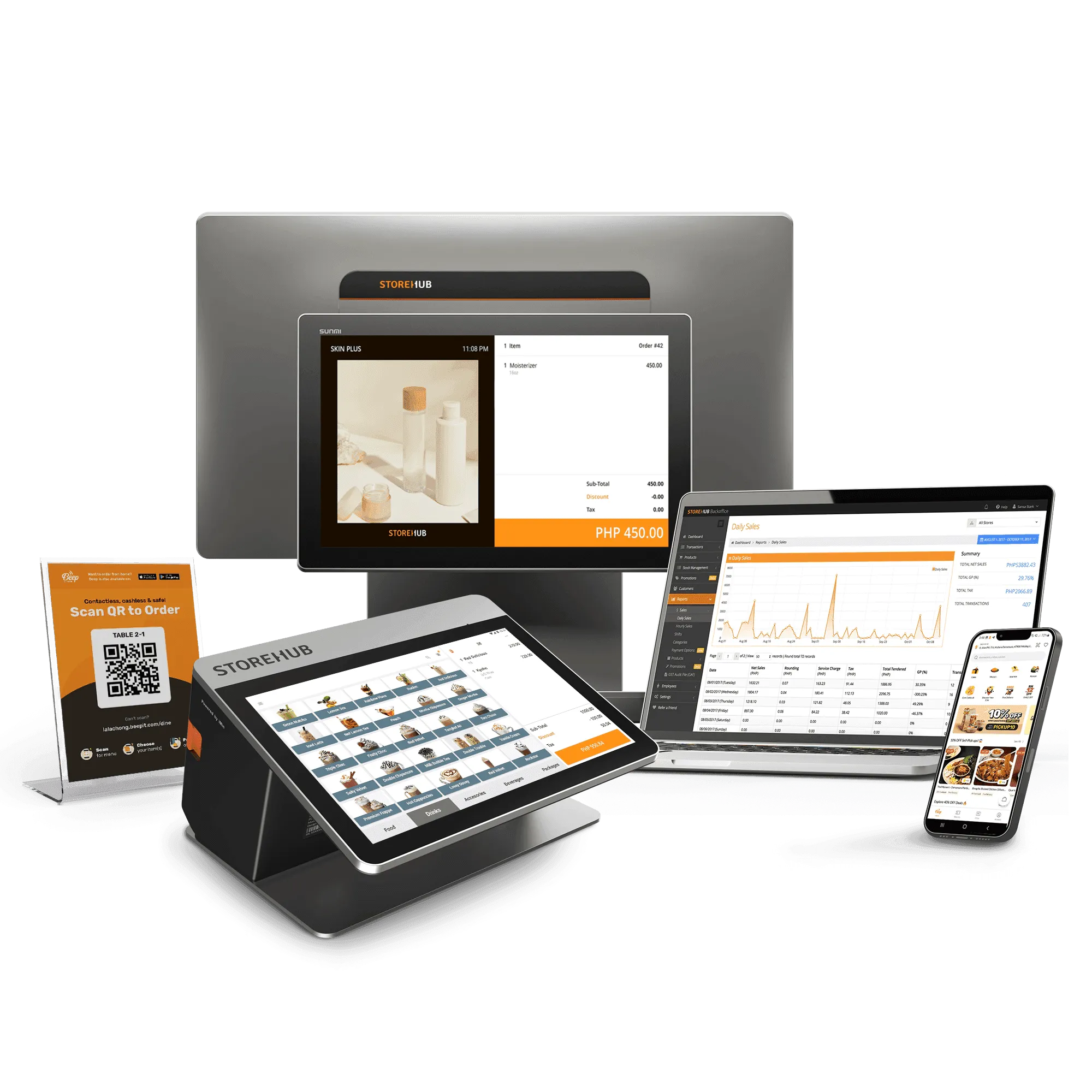
Hardware that fits the counter. An iPad or Android terminal with a compact thermal printer, not a bulky register that eats half your workspace.
Cashless payments built in. GCash, Maya, GrabPay, QR Ph, and bank payment apps should settle into the same daily report as cash, with no separate device.
QR ordering for food court seating. Where customers sit at shared tables, letting them scan, order, and pay from their phones takes pressure off a one-person counter.
BIR accreditation, plus mall pre-accreditation. Official Receipts, Z-readings, X-readings, and e-journals should generate automatically, and pre-accreditation with major mall chains saves 30 to 60 days per opening.
Real-time inventory. Stock should deduct as you sell, with low-stock alerts that fire before the evening rush, not after it.
Multi-location management. If cart number two is anywhere in your plans, pick a system that can manage 2 or 200 outlets from one dashboard.
How StoreHub handles kiosk operations
Orders in under 30 seconds, training in 15 minutes
StoreHub's quick-serve POS is built around counter speed, and it has run at 99.9% uptime, which matters most when the lunch line is twelve people deep. Orders process in under 30 seconds, and a new hire can run the register after 15 minutes of training.
Cashless on the same screen as cash
Integrated payments put GCash, Maya, GrabPay, QR Ph, and bank payment apps into the same sales record as cash. No separate terminal, no personal-number transfers, and no end-of-day gap between what sold and what settled.
QR Order & Pay takes pressure off the counter
For stalls with shared food court seating, QR Order & Pay lets customers scan a code, browse the menu, order, and pay from their phones. StoreHub reports a 20% increase in average order value from QR ordering.
Compact hardware that keeps its footprint small
StoreHub runs on iPad or Android with hardware designed to work with the system: a terminal and a compact thermal printer, not a tower of equipment.
From one cart to branch six without re-platforming
Multi-location management is the difference between growing and starting over. Sales, inventory, and staff accounts for every location sit in one BackOffice dashboard, whether you manage 2 or 200 outlets. Candid Coffee runs all six of its branches this way today, with real-time visibility across every location.
BIR-accredited from your first Official Receipt
StoreHub is BIR-accredited, generating Official Receipts, Z-readings, X-readings, and e-journals in the format examiners expect. It is also pre-accredited with major Philippine mall chains, which removes 30 to 60 days of registration timeline when you take that food court slot.
Built for the cart-to-chain path
Day one and branch three have different problems. On day one, a kiosk needs speed at the counter, cashless payments, and clean BIR records, all on hardware that fits beside the fryer. By branch three, the hard part is what you cannot see: which stall is low on stock, and what the new mall location actually sold today.
The trap is buying a day-one system that cannot do branch-three work. Operators who start on a notebook or a free app end up re-platforming mid-growth, rebuilding menus and retraining staff at exactly the moment the business is busiest. Delivery usually enters at this stage too: Beep Delivery runs at a 9% commission, compared with 35% on third-party platforms, and orders flow straight to the POS.
If the second location is already on your mind, our guide to multi-outlet cafe operations in the Philippines covers that stage in detail. And if your kiosk has wheels, the food truck business guide follows the same arc: start small, keep the system, scale the menu.
What changed as Candid Coffee grew from cart to chain
Candid Coffee is the proof case for this path. Lanz Castillo started with a single coffee cart and grew it into a six-branch cafe business, a journey documented in the Candid Coffee story. Two things keep coming up when he talks about what changed along the way: the back-office data load, and visibility once the cart became a chain.
On the back-office data load:
"We used to spend eight hours sorting through data manually. With StoreHub, we get it done in under 30 minutes, freeing up our time for other parts of the business."
Lanz Castillo, Owner of Candid Coffee
→ See StoreHub's inventory management
The second is visibility. Once the cart became a chain, Lanz points to having operations and data for every branch in one view, a full overview that he says makes audits and investor reporting much easier.
Candid Coffee is not the only cafe that scaled this way. Yardstick Coffee grew to nine branches across the Philippines, and its expansion ran into the same mall accreditation clock covered earlier in this guide.
On opening in malls without the accreditation delay:
"I love that StoreHub is pre-accredited with most malls. It saves time and cost, letting us open new stores on schedule without delays."
Andre Chanco, Co-Founder of Yardstick Coffee
→ See StoreHub's BIR accreditation
More than 20,000 businesses across Southeast Asia run on StoreHub. The Philippine F&B roster includes Candid Coffee, Yardstick Coffee, Happilee Korean Kitchen, Kurimu, Brewer's Haven, and others. Each one runs on it because it fits the way Filipino food businesses actually work: the merienda rush, the new stall opening, the BIR filing.
When StoreHub is not the right choice
Like any system, StoreHub fits some merchants better than others. Picture a kwek-kwek cart that sets up outside a school gate in Marikina three afternoons a week, cash-only, with no mall plans and no second cart on the horizon. For that setup, a free POS like Loyverse on a phone is the honest recommendation. It's simpler, it's cheaper, and it does what that business needs.
But if you're eyeing a food court slot at SM or Ayala, losing sales to customers who only carry GCash, or sketching plans for a second cart, that's where StoreHub starts to matter, because adding BIR-accredited receipts, integrated cashless payments, and multi-location visibility later means re-platforming everything mid-growth.
StoreHub pricing in the Philippines
Three plans cover most food kiosk operations. Multi-location features unlock at Advanced.
Plan | Annual | Best for |
|---|---|---|
Starter | PHP 26,988/yr | A single kiosk or cart getting its first real system |
Advanced | PHP 53,988/yr | Operators running two or more stalls |
Pro | PHP 107,988/yr | Larger operations that want a full-service setup |
A 14-day free trial is available, no credit card required. See the pricing page for add-ons, payment processing rates, and multi-year savings.
Frequently asked questions
What is the best POS system for a food kiosk in the Philippines?
It depends on your plans. For a kiosk that intends to stay a single cash-only cart, a free app is enough. For one that wants cashless payments, BIR-compliant Official Receipts, and room to open a second location, StoreHub is built for that path, with under-30-second orders and multi-location management on one system.
How much does a food kiosk POS system cost in the Philippines?
StoreHub starts at PHP 26,988 per year for the Starter plan, billed annually, which covers the POS, basic inventory, integrated payments, and BIR-accredited receipts. Hardware is priced separately, with compact options designed to work with StoreHub.
Do food kiosks in Philippine malls need a BIR-accredited POS?
Major mall operators run their own POS accreditation process on top of BIR registration. StoreHub is BIR-accredited at the system level, generating Official Receipts, Z-readings, X-readings, and e-journals automatically, and it is pre-accredited with major Philippine mall chains, which saves 30 to 60 days per opening.
Can a food cart POS scale into multiple branches?
Yes, if the system is cloud-based with multi-location management. StoreHub manages 2 or 200 outlets from one dashboard, with real-time sales and inventory per location. Candid Coffee, which grew from a single coffee cart into six branches, now runs all six on StoreHub.
What payments should a food stall accept besides cash?
GCash is the dominant e-wallet in the Philippines, with Maya, GrabPay, and QR Ph also common. StoreHub accepts all of these plus bank payment apps as part of its integrated payments, settling them into the same daily sales report as cash.
See StoreHub in action
See how StoreHub runs across 20,000+ Southeast Asian businesses, from single carts to multi-branch chains.